Oticon chargers: how to
Understanding Oticon hearing aid Charging: use, troubleshooting, and alternatives
Oticon’s rechargeable hearing aids offer a convenient, eco-friendly solution to staying powered throughout the day. However, like all technology, questions may arise regarding how to properly use the charger, how to identify warning signals such as blinking lights, and what options are available if the original charger is unavailable. Below is a complete guide covering common concerns and practical steps.
How to use Oticon hearing aid chargers
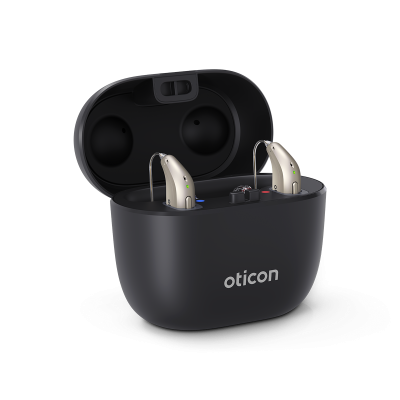
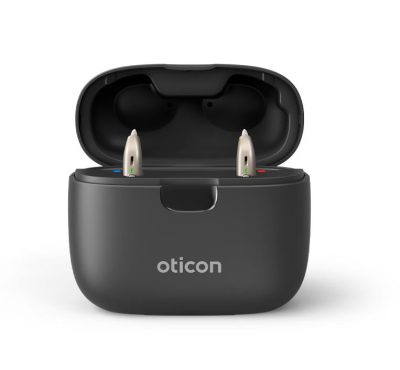
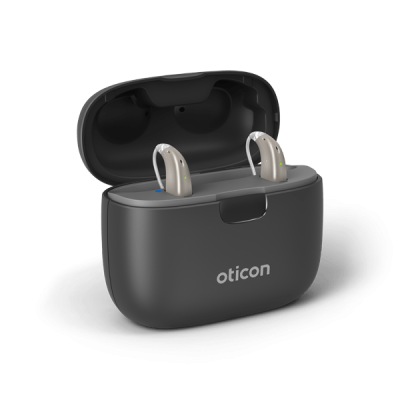
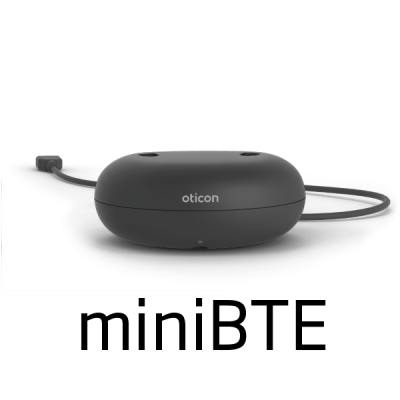
Oticon offers a range of chargers compatible with their rechargeable hearing aids, such as the 1.0 miniBTE R and SmartCharger miniRITE models. To use the charger:
-
Place the charger on a flat surface and connect it to a power source using the included USB cable and power adapter.
-
Gently insert the hearing aids into the charging ports. The left and right sides are typically color-coded or marked to avoid confusion.
-
Confirm LED indicator lights turn on, signaling the devices are properly placed and charging. A steady green light usually means charging is in progress, and a full charge typically takes around 3 hours.
-
Do not attempt to force the devices into the charger, as the magnetic connectors will guide them into the correct position when aligned correctly.
Why is my Oticon hearing aid blinking orange in the charger?
If you’re wondering why your Oticon hearing aid is blinking orange in the charger, this typically indicates a problem with charging. The most common reasons include:
-
Poor contact between the charger and hearing aid: ensure the device is properly seated in the cradle.
-
Dirty charging contacts: use a dry cloth or specialized cleaning brush to gently clean the metal contact points.
-
Charger not receiving power: verify that the USB cable is properly plugged into a working outlet.
-
Battery or device malfunction: if the issue persists, it may signal a battery defect or internal error, in which case a visit to your hearing care professional is advised.
Blinking orange is not a standard charging signal and should be addressed immediately to avoid further interruptions.
How to charge Oticon hearing aids without a charger
If you find yourself without the original charger and need to know how to charge Oticon hearing aids without a charger, the options are limited but not entirely impossible:
-
Purchase a replacement charger: this is the safest and most effective solution. Oticon’s chargers are designed specifically for their lithium-ion batteries and should not be substituted with third-party equipment.
-
Use a compatible Oticon charger: if you have access to another Oticon charger model known to support your specific device, it may serve as a temporary backup.
-
Avoid makeshift charging methods: do not attempt to charge the hearing aids via USB cables, power banks, or wireless pads unless they are explicitly compatible with Oticon hearing aids. Doing so may damage the battery or void your warranty.
Oticon accessories at Japebo
At Japebo, we offer an extended collection of all kinds of authentic Oticon accessories. If you’re still not sure about which charger you need, you can contact us at info@hoer-mere.dk. If you want to know more about Oticon’s hearing aids, we have an information page, where you can read more before making your purchase.